How do I smart charge with EV Optimise?
EV Optimise manages your home EV charging automatically, so you can benefit from greener, cheaper energy1without the need to set timers or schedules yourself.
What should I expect when I plug in at home?
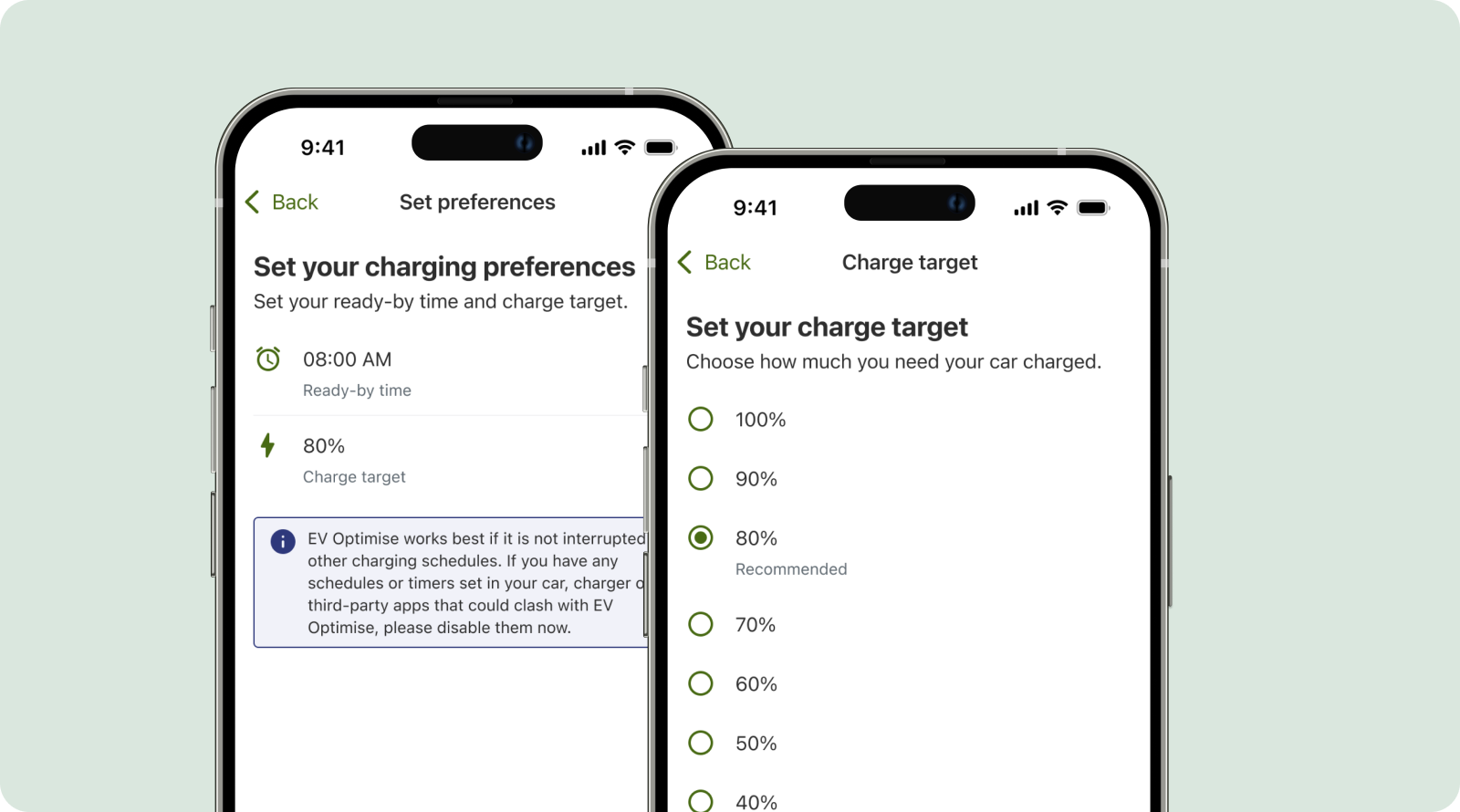
When you plug your car in at home, EV Optimise uses your charging preferences (“ready by” time and charge target) to create a smart charging session.
You do not need to start a session manually. EV Optimise detects when your car is plugged in and automatically begins charging at the best times, based on grid demand and carbon intensity.
It can take up to 20 mins from plugging your car in at home for your smart charging session to start and you may see the EV Optimise dashboard reflect this as "Initialising".
You can change your preferences at any time in the EV Optimise dashboard in the ScottishPower app. These preferences will be used as your default for future sessions.
How will I know when my car is smart charging?
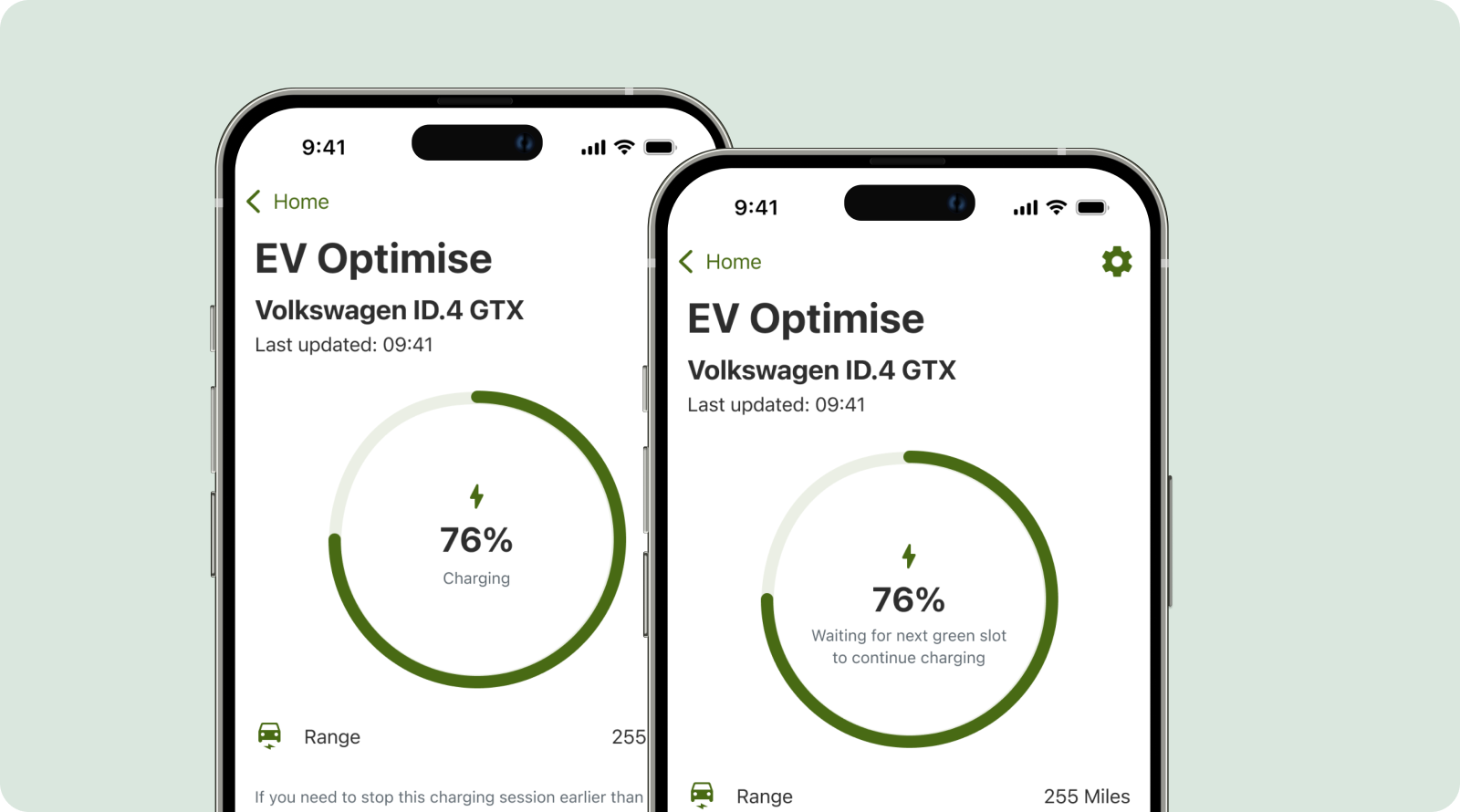
With app notifications enabled, you’ll be alerted when a charging session starts, finishes, and if any unexpected issues arise. You can also monitor the status of your charging progress on the EV Optimise dashboard - “Charging” and “Waiting for next green slot to continue charging” messages both mean a session is in progress. Once a session finishes, you can see a detailed breakdown of energy delivered, cost, and savings.
Notifications are the easiest way to keep track of your smart charging sessions and savings. Make sure you have notifications enabled for the ScottishPower app.
When will my car be charged?
There are no restrictions on when you can smart charge – you can get the cheaper rate for when you smart charge anytime, day or night. EV Optimise doesn’t use fixed off-peak hours. Instead, it charges your car at the greenest and cheapest times.1
How charging works:
Set your charging preferences (ready-by time and charge target) in the ScottishPower app.
Plug your car in at home.
EV Optimise will automatically manage your charging sessions based on your preferences.
EV Optimise will charge your car to the target you set in the ScottishPower app. However, if you have set a maximum charge limit in your car app, we can only charge your vehicle up to that amount. To charge beyond this, you’ll need to update that limit in your car app or infotainment system.
As long as there’s enough time between plugging in and your “ready by” time, the system will meet your charge target. If not, it will charge as much as possible and notify you when the session begins. You’ll also see a message on the EV Optimise dashboard.
It’s normal for charging to start and stop during a session. This simply means EV Optimise is waiting for the next optimal charging window. If you see messages like “Waiting for next green slot to continue charging” in the app, this means a charging session is active but temporarily paused until the next optimal time.
The longer your car is plugged in at home, the more flexibility EV Optimise has to choose the greenest1charging slots for you, so please keep your car plugged in as long as possible.
EV Optimise will not affect your battery any more than regular charging. Electric vehicle batteries are designed to handle this “start and stop” smart charging pattern and should also be covered under your vehicle’s warranty.
Can I use EV Optimise alongside my regular car charging app?
While you can continue to use your car or charger manufacturer’s app for other useful features, it’s important to disable charging schedules, timers, or settings in those apps when you sign up to EV Optimise. Other schedules can interfere with the EV Optimise algorithm and impact your savings. Don’t worry – you can still use your manufacturer’s app for everything else.
You should not sign up to other third-party EV smart charging services at the same time, as this may interfere with EV Optimise and your savings.
If you normally have to unlock your EV charger before a charging session, you will need to do the same for EV Optimise to work. Or you can deactivate this setting on your charger (plug and charge mode) – this is available on most chargers but the name varies depending on model.
Frequently asked questions
Troubleshooting
Smart charging is new technology that requires multiple systems to work together, so occasionally things don’t work as expected. Below you’ll find solutions to the most common issues customers experience with EV Optimise, along with practical steps to help you get back on track.
Need to charge immediately?
If you need your car charged sooner than expected, you can edit your preferences from the EV Optimise dashboard to set an earlier ready-by time. EV Optimise will start a new charging session and you will get a notification to confirm if we can reach your new target.
Alternatively, you can disable smart charging from the EV Optimise Settings screen and charge manually using your car or charger app. Your car will then charge at your standard tariff rate, and you won’t receive smart charging credits for that session. You can enable smart charging again at anytime via the EV Optimise dashboard in the ScottishPower App.
Find out more about billing and smart charging credits.
1
The greenest times of day will be when carbon intensity of the electricity requested to charge your EV is at its lowest. This will vary each day depending on a number of factors including weather conditions, renewable energy generation and demand on the grid.
2
All electricity will be charged at your normal unit rate based on your ScottishPower tariff. The credit for your EV smart charging session will appear as a credit on your bill. Find out more about billing in our support article and further details in our Terms & Conditions.
Last updated: 31 March 2026